Updated - October 15, 2003 - Day 1
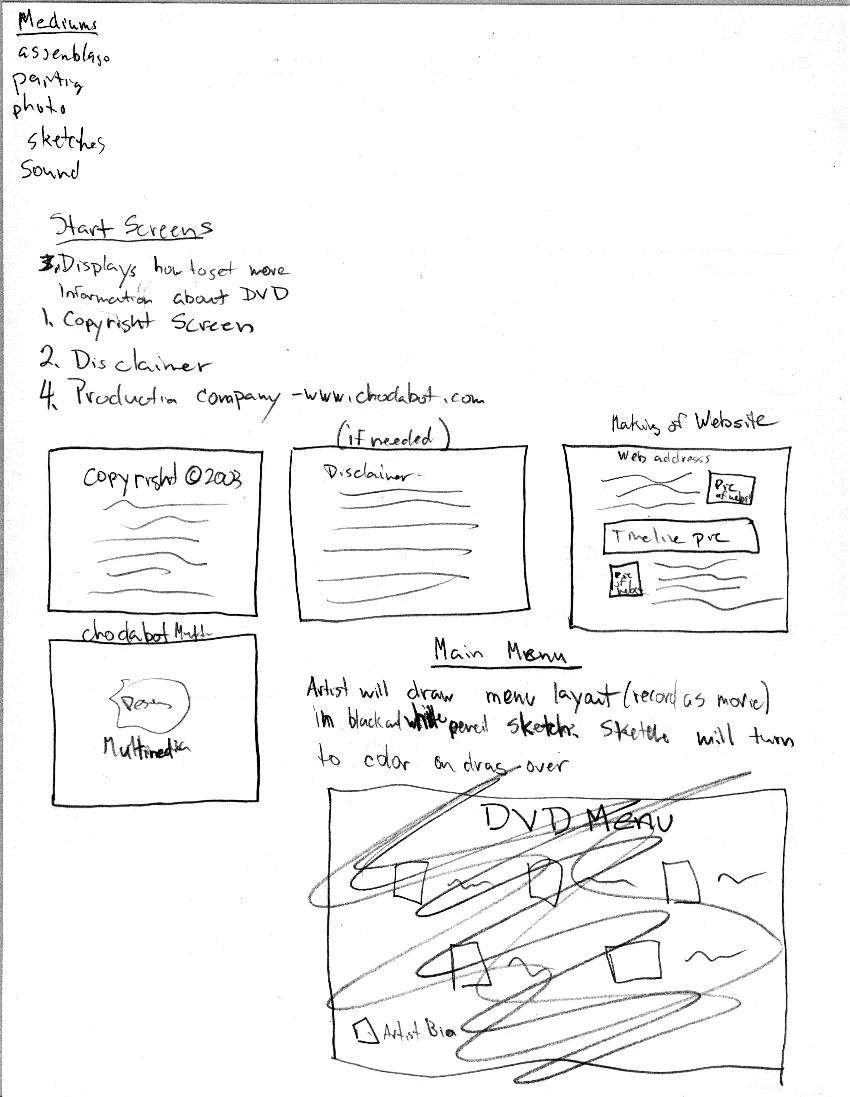
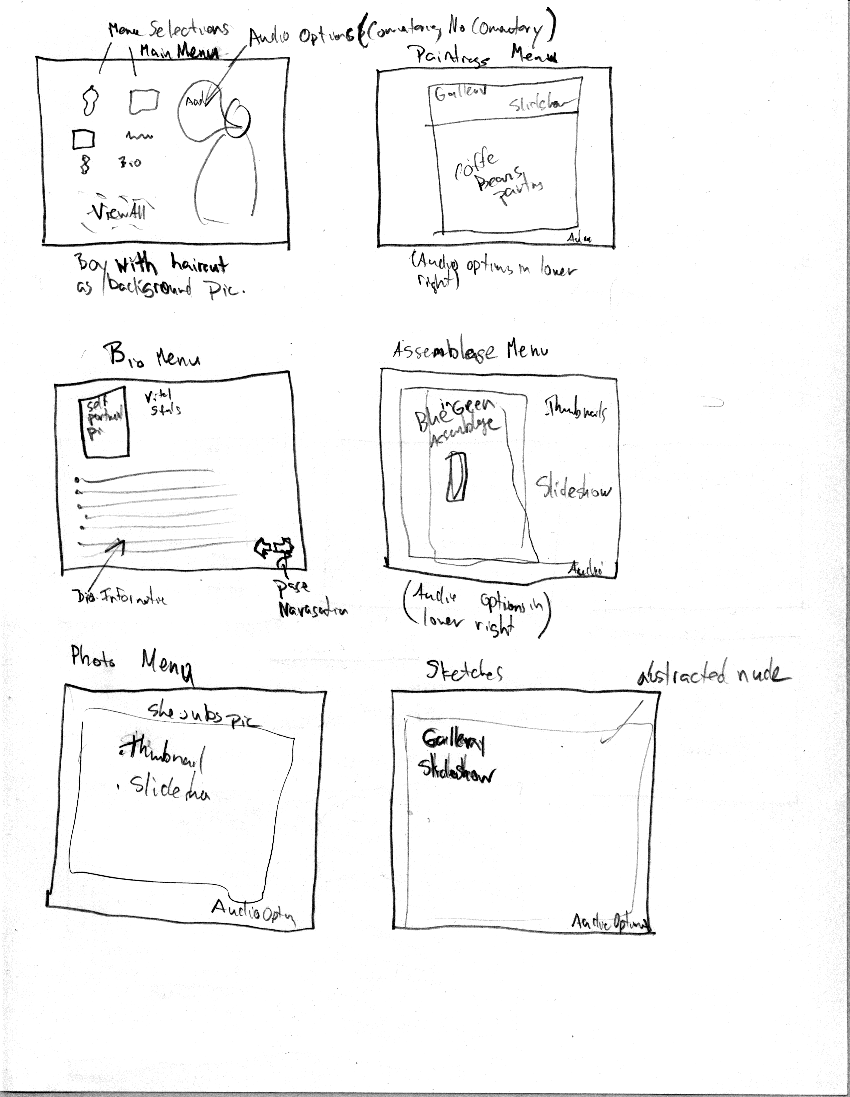
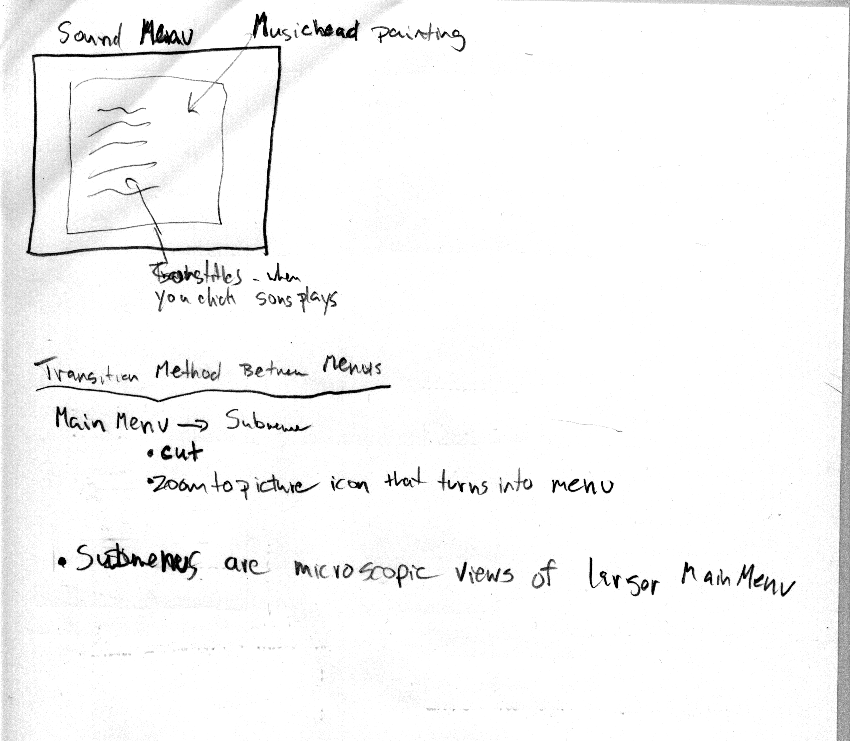
MENU DESIGN: I still have mice, already caught three and I saw another one yesterday. I'll get them eventually, there is no escape from me. Now lets discuss the project. I started and completed the initial menu layout sketches for the DVD. I began the work while watches Lord of the Rings: Fellowship of the Rings and The Matrix Reloaded at the same time on two different computers. It was a true multitasking experience. To be truthful I planed out the DVD startup menus then fell asleep for about an hour. I awoke to find Neo kicking Agent Smith's ass and Elrond berating Arwen, freaky isn't it (in case you didn't know Hugo Weaving plays Agent Smith in the Matrix and Elrond in Lord of the Rings). One would probably think that I lost time while sleeping, however this is not the case. My mind was so focused on the project at hand that my dreams consisted mainly of coming up with DVD menu layout ideas for the project. When I woke up my memory still held what I had dreamed. I went over the ideas that came from the land of dreams and deemed them to be useless. They consisted of a car's dashboard as a background and a pathetic looking artist in the driver's seat. The feeling of a "starving artist" was omnipresent throughout the dream and the objective was to translate that into menu design. The idea sucked so I canned it. For the record I am still working on a method in which I can process coherent controlled thoughts in my dreams I can continue whatever I was thinking about without interruption. Ok back to the project, so I woke up and continued my work on the DVD menu layout. Consisting of six main categories (paintings, photography, assemblages, sketches, sound, artist bio) each menu will use a piece of the artist's work representative of the categories with two options (thumbnail gallery and slide show). The idea being that the viewer can browse through and select any image they want to view of view a pre-determined progression of images in each category. On the main menu there will be an option to view a slide show that incorporates the mediums of all the categories. Musical accompaniment and commentary are selectable audio track that will be available in the slide shows. Background music will probably be present on each menu, this hasn't been determined yet. The music will be provided by the artist who is also a musician. The idea for the transitions between menu is for every submenu to be a microscopic view of the large menu before. A super-zoom if you will. When you select a category to view from the main menu the view will zoom on what you selected until that selection takes up the whole screen forming the sub-menu. I feel this will give a very cohesive feel to the whole project as if it is one large painting.
DVD Menu Layout Sketches
SOFTWARE EXPLORATION: Today I explored the software I will be using to author the DVD, DVD Maestro. I heard it was one of the best. Unfortunately the software is no longer available for purchase. It is something I acquired some time ago. The interface looks fairly complex but I was able to quickly figure out the basic workings with a little help from a few online tutorials. I already have familiarity with the other software involved in the project so there was no need to explore them further today. From what I have seen so far of the DVD authoring software I will be able to create exactly what I want with it.
SUMMARY: The mental picture of the DVD is almost complete, menu layout is a huge part of it. Now that I have the menu layout I will consult with the artist involved to finalize it. After that I will proceed to create the actual graphics the make up the layout. I will be using Adobe Photoshop in concert with DVD Maestro to do this. The images have already been digitized by the artist and are on my hard drive.
LINKS:
Project Software/Hardware details - DVD Maestro Tutorials - Multimedia Home
copyright © 2003